Add Button in Empty My Projects Workspace Does Not Create a Project
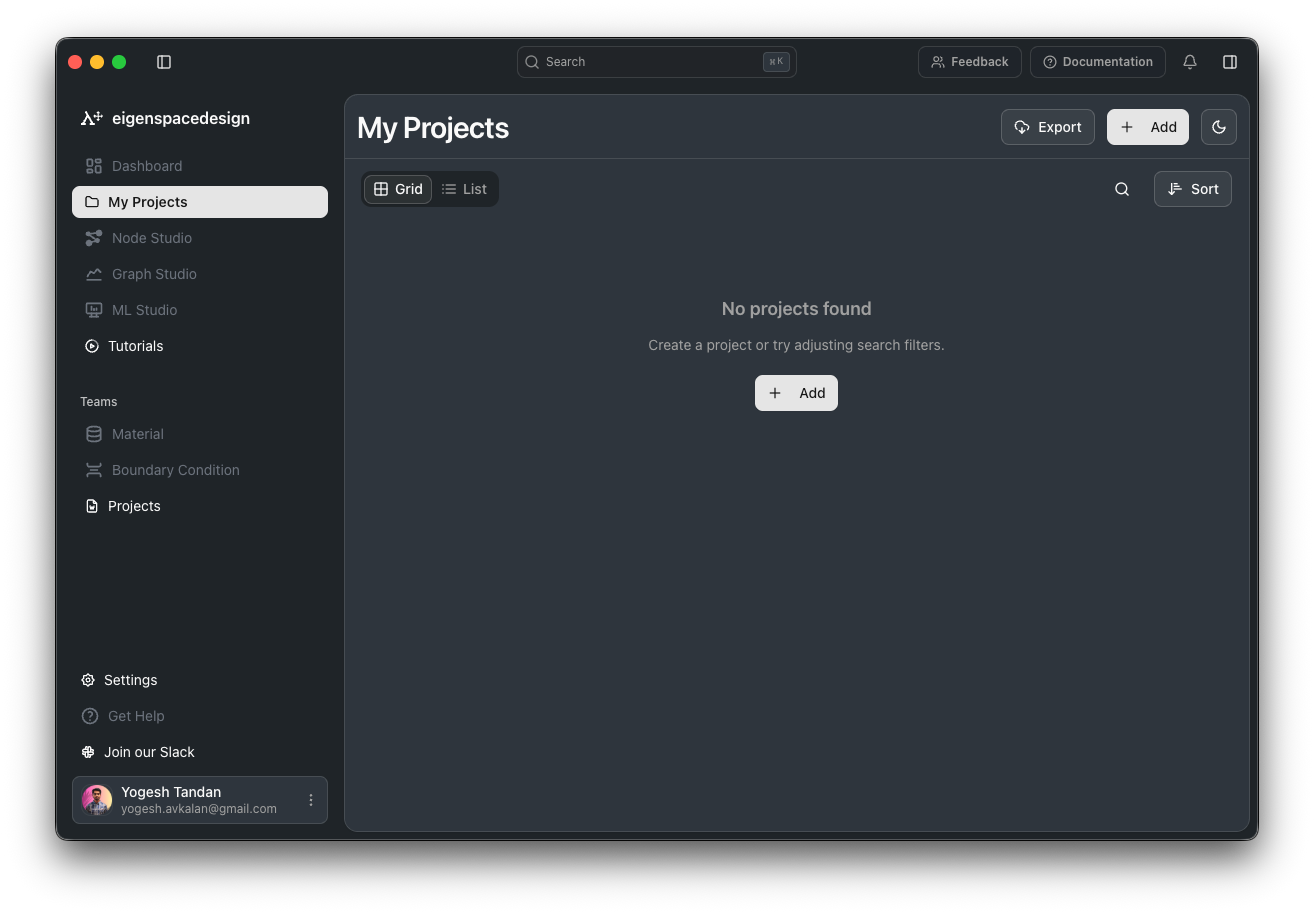
The Add button displayed in the empty state of the My Projects workspace does not allow users to create a new project.
Steps to Reproduce:
Open the My Projects workspace.
Ensure there are no existing projects.
In the empty state, click the Add button displayed below the “No projects found” message.
Observe the result.
Actual Result:
Clicking the Add button in the empty state does not allow the user to create a project.
Expected Result:
Clicking the Add button in the empty state should open the project creation flow, allowing the user to create a new project.
Additional Observation:
The Add button in the top-right corner, next to the Export button, works correctly and allows projects to be created successfully.
Impact:
This creates an inconsistent experience because there are two Add buttons on the same page, but only the top-right button is functional. Users may reasonably expect the empty-state Add button to provide the same project creation functionality.
Log in to comment and vote
No comments yet
Be the first to share your thoughts.